Introducing Nutrify 1.2.3

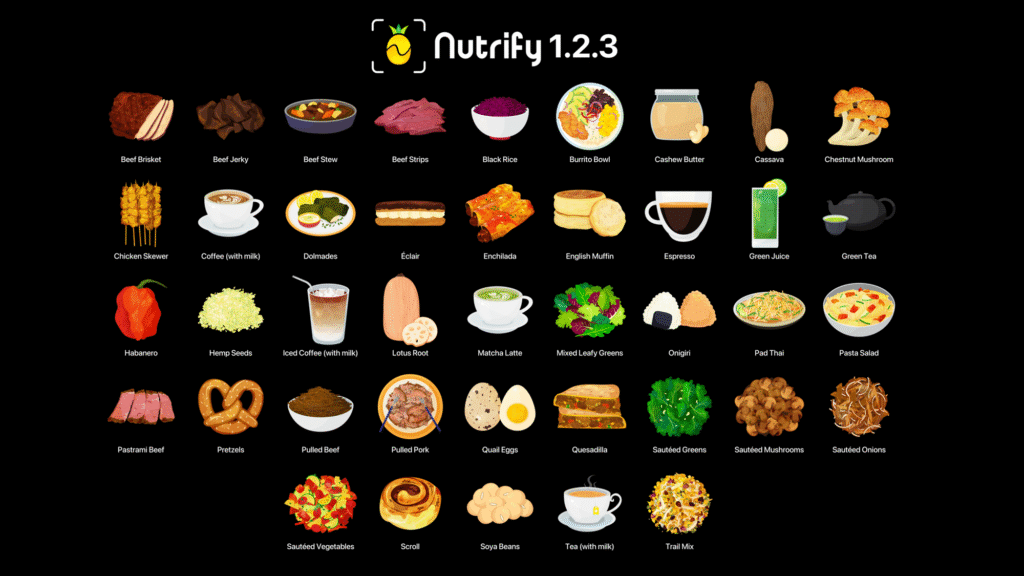
Whole Food Streaks, Widgets, Quick Summaries and 41 New Foods.
Nutrify Goes to School (V1)
📸 -> 🍌 @ 🏫 | Whole Food Education for Schools
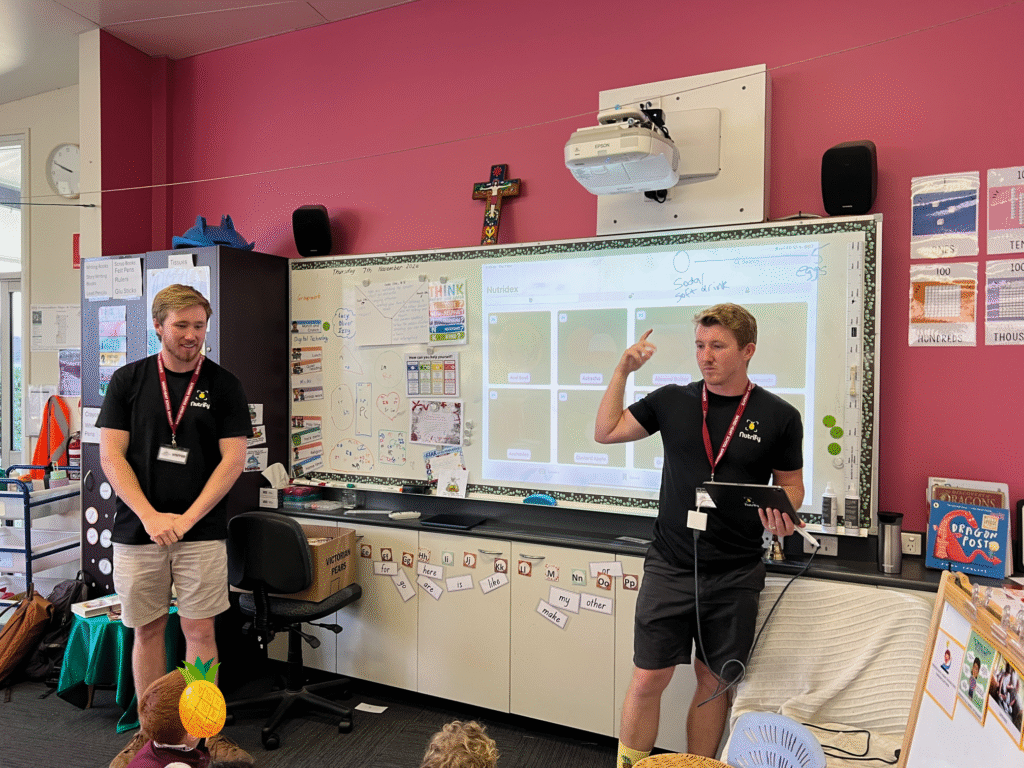
Josh and I presenting Nutrify as well as the health benefits of whole foods in front of a class of 25 year 1s and 2s at a local school.
An exciting day for Nutrify today!
We had our first whole food education session at a local Brisbane school.
And it turns out… the kids loved it!
Josh (my brother/co-founder of Nutrify) and I went to the local markets and collected a basket of various whole foods.
Bananas, sweet potato, apples, avocado, and the less common (but still in Nutrify), artichoke and galangal.
We ran two 30 minute sessions with groups of year 1 and 2s (six and seven year olds).
To make it interactive we invited students one by one and eventually in groups of two to choose a food from the basket and hold it up in front of the class to see what it was.
Once the students identified the foods, we also asked them to rate them on a scale of 0 to 5.
Where:
- 0 = most processed (e.g. soda/pop tarts)
- 5 = whole foods/single ingredient foods (e.g. fruits/vegetables)
Students immediately understood this scale, rating every fruit/vegetable as 5 points and the processed foods we brought along as 0 points.
So where did Nutrify come in?
To add another level of interactivity, we asked students to take a photo of the foods with an iPad running Nutrify.
Using computer vision models (on-device, no internet connection required—important for schools and privacy), Nutrify identified each whole food instantly and provided nutrition information in a colourful and easy-to-understand manner.
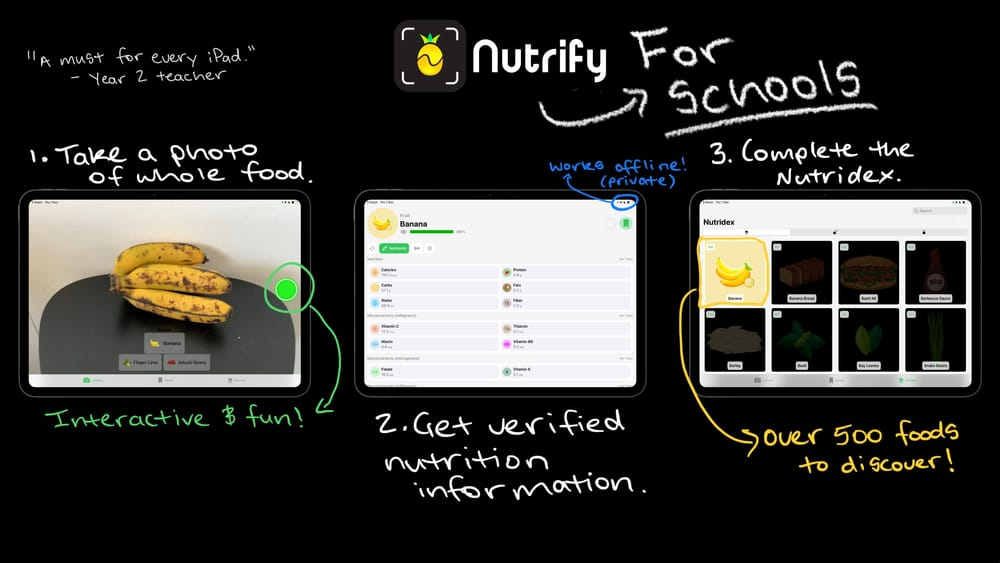
One student yelled out “This is like Pokémon for foods!”
Our goal at Nutrify is to incentivise people, especially kids, to eat more whole foods, foods that don’t need a barcode or long lists of ingredients.
The rating scale seems to have worked too.
When we asked the kids, “If you were designing a healthy plate, what scores would you like most of?”
They all yelled out “5!!!!”
And I couldn’t help but smile and laugh.
Some of the feedback:
“Are you coming back?” asked a student.
“Would you like us to come back?” We replied.
“Yes!”
And from a teacher watching from another classroom:
“This is a must on every iPad…”
We’re biased, but we agree!
So if you’d like to see Nutrify at your local school, please let us know, we’d love to show it off.
Or if you’re involved in the school system and know how we might make Nutrify more tailored to the curriculum so we can expand to more schools, please reach out, we’d love your advice.
Our dream is to make Nutrify available on every iPad in every school and for it to be the go to place for fun, interactive food education.
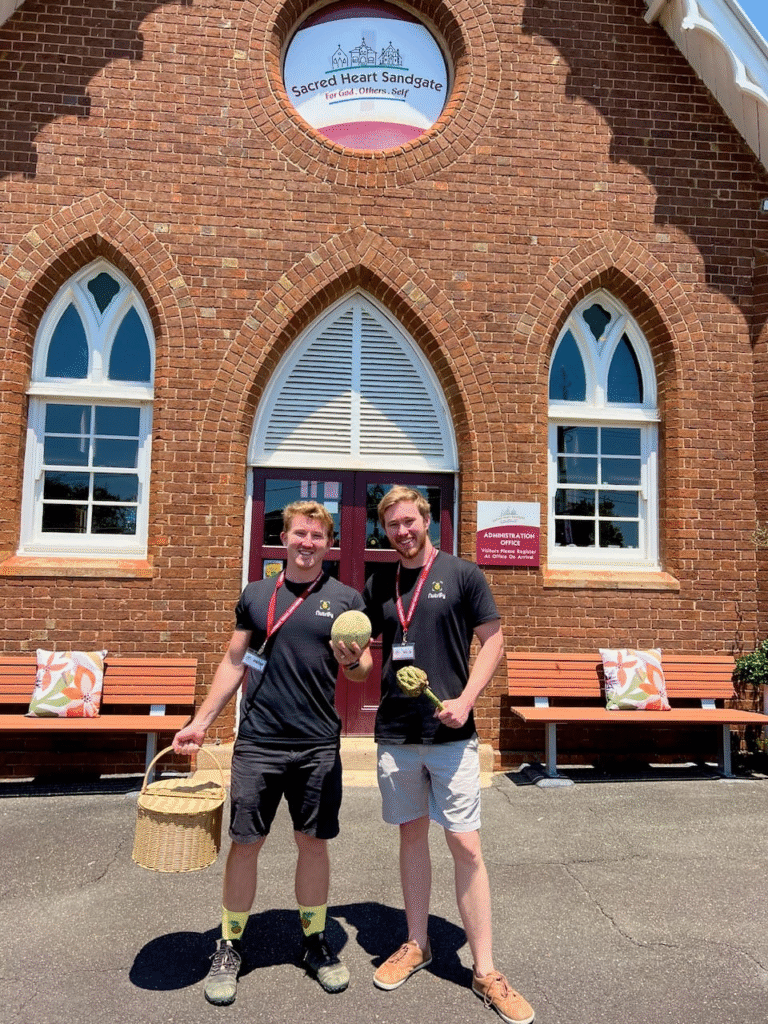
different whole foods to students.
Reviews
Here’s what the teachers had to say:
Nutrify provided an engaging incursion at our school which opened our students’ eyes to the exciting world of health and whole foods. Students were provided with hands-on experiences as they explored the app and learnt about the design process that led to its creation. Dan and Josh’s passion for educating children about the importance of fuelling their bodies with healthy and nutritious foods had all the children wanting to learn more.
— Angela Hennessy, Assistant Principal, Sacred Heart Primary School
The Nutrify App Team did an amazing job engaging our Early Years class with their fun and interactive session on nutrition! The kids absolutely loved the hands-on activities using the app and were inspired to make healthier choices every day.
— Year 1 Teacher, Sacred Heart Primary School
Questions, suggestions and feedback
Have any questions about this update, suggestions for future updates or ideas for what foods we should add next?
Feel free to reach out to us at support@nutrify.app (Daniel or Josh will reply)!
- Download Nutrify on the App Store
- Nutrify Homepage
- @nutrifyfoodapp on Instagram/TikTok/X
Credit roll
- Nutrition data is curated and FoodVision AI computer vision models are trained by Daniel Bourke.
- All iOS interfaces are designed and built by Joshua Bourke.
- Food image data is collected and labelled by Joseph Drury, Samuel Bourke and Daniel Bourke.
- Food icons are designed and created by Grace Lee.
ls are trained by Daniel Bourke.
All iOS interfaces are designed and built by Joshua Bourke.
Food image data is collected and labelled by Joseph Drury, Samuel Bourke and Daniel Bourke.
Food icons are designed and created by Grace Lee.
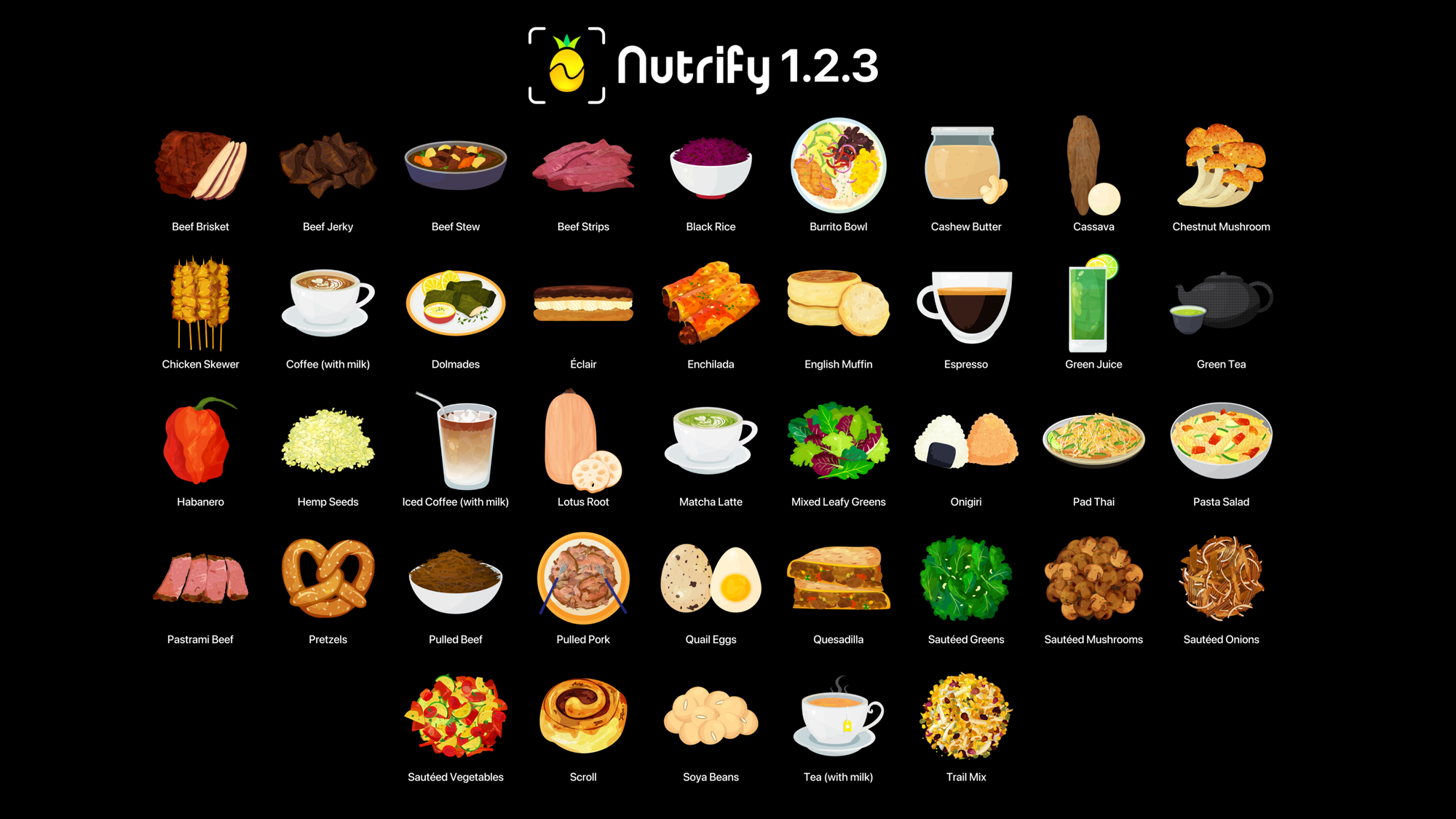
Introducing Nutrify 1.2.3
Whole Food Streaks, Widgets, Quick Summaries and 41 New Foods.04 Nov 20243 min read
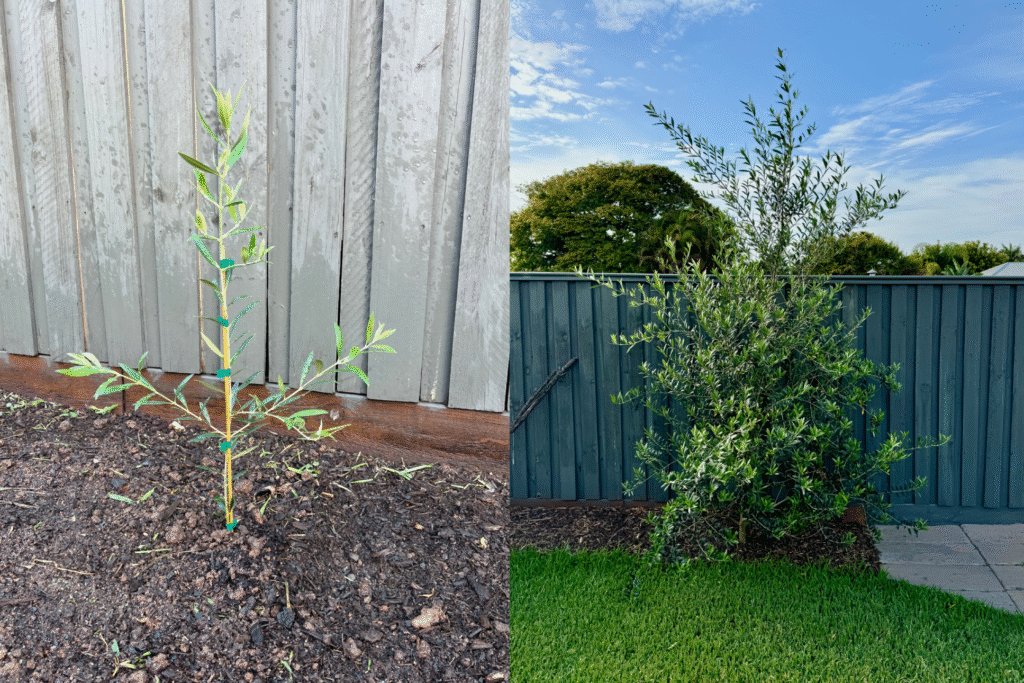
Small sways in the breeze make you strong
I watch the olive trees in my backyard dance in the wind. When they were small, they’d almost fall over. But the post kept them up. Now they’re big enough to stand on their own. A breeze comes along and their branches move with it but not too02 Oct 20242 min read
Not just fishing knots
Daniel Bourke
02 Apr 2024 • 4 min read
Took mum to her childhood home Sunday just gone to see Papa.
We walked in and mum saw Nana and they both started to cry.
Papa, Alan, Alby, my grandfather was quite sick.
The room was quiet and somber but had an unshakable aura of warmth and love.
Everyone was there for the same thing.
To share in the feeling.
One of our younger cousins was too upset to walk into the back room.
I don’t blame her. I’d never been in this kind of situation either.
I kept walking and went through the doors I’d ran through as a kid.
I remember Papa being the tallest person I’d ever seen.
Always looking up and confirming giants were real.
My gazes to the sky filled with blue, clouds, ceiling lights and a smiling face looking back.
I still remember him that way.
He laid in bed with blankets on and his trademark yellow and green Wallabies rugby beanie.
For a moment there we were alone.
Me sitting on the walker chair and Papa laying in bed.
I started to talk about rugby, one of his biggest loves.
My Dad’s old team won the match the day before.
What do you say in these moments? I thought.
Words are magic but there are many things their spells are ineffective on.
And so I kept talking about anything.
But really just sitting there.
I held Papas hand. Put my hand on his shoulder.
A way of saying thank you for everything and I’m here without saying it.
As soon as I walked into the room he put his hand out to shake mine.
And even later as the priest walked in he said, I didn’t realise I was that bad! The heavy artillery is here.
In pain and dying and still cracking jokes.
That’s how I’d like to be. In the present. And in the future.
His children entered the room (my aunties and uncles), his wife (Nana) and the priest kneeled by the bed.
We held hands and the priest started to pray.
I no longer adhere to a single religion (don’t tell Papa).
But I’ll never forget that moment.
Present with three generations.
Quiet and talking to God.
Where nothing else mattered except for being there.
I stood up from the chair. Said I love you Papa, hugged mum and walked out of the room.
It was the last time we spoke.
Papa (and Nana) called every birthday. Saying happy birthday Danny Bourke. I’ll miss those words.
He came to our rugby matches, our graduations and almost every other important event.
He used to sneeze so loud it would scare the younger grandkids.
And most important, got us in contact with good accountants.
Papa taught me how to tie fishing knots.
We were floating on a boat offshore and my lines kept coming undone. He showed me how to wrap one piece around the other, twist a few times, loop the loose end through the hole in the base and pull it tight.
A skill I still use today. I’d like to get better at it too.
And one day teach my grandsons or granddaughters.
It’s a helpful skill.
To be able to tie a knot.
To connect something to something else.
And that’s what Papa has done his whole life.
Connect the unconnected.
Bringing communities together, rugby teams, families, cousins and siblings and sons and daughters and generations on generations, raising children who’ve raised children of their own who’ve now started to raise children of their own.
Making those with less feel as if they’ve got more.
That’s the feeling I get whenever I’m around or think of Papa.
I’m sure everyone who’s met him would agree.
Any time you were with Alby for while and you go, you always feel as if you’d left with more than you came.
If there’s anything I’ve learned from Papa it’s that you can never lose giving more than you take.
He was a Chartered Accountant for most of his life, a career he treasured deeply. Making sure the big guys were accountable for their work. A career my younger brother William has taken on and in turn made him the favourite grandson (not that Papa would ever admit).
Legend says he used to tap the photo of his children on his desk and tell fast hand executives, I’ve got seven kids at home, so make sure you pay.
Financials aside, I’m sure we’d all agree, on the final balance sheet (and not that Papa would ever keep score), what Alan, Alby, Papa has given us is as about as far in the positive as you can get.
A comforting giant who never looked down on anyone and instead encouraged us all to look up.
I love you Papa.
Thank you for everything.
I promise to keep tying knots. And not just while fishing.
Papa asked for there to be no speeches during the funeral other than the eulogy by his eldest son Michael and the normal prayers one would say at mass. I imagine Papa saying don’t fuss too much over me, go and party instead.
I said a prayer of intercession at the funeral but wrote this as a tribute, a way to mourn and words I would’ve said had there been more speeches.
Alan (Alby) Taylor was born on 10 December 1932 and died on 22 March 2024 at 91 years of age. He and his wife Margaret were married 62 years and have 7 children, 18 grandchildren and 16 great grandchildren.
My mum gave him a short description of triple F. Family, Faith, Football. And the order depends on the season. There was a beautiful tribute article on the Queensland Rugby page to highlight Alby’s services to Rugby (and many other communities).
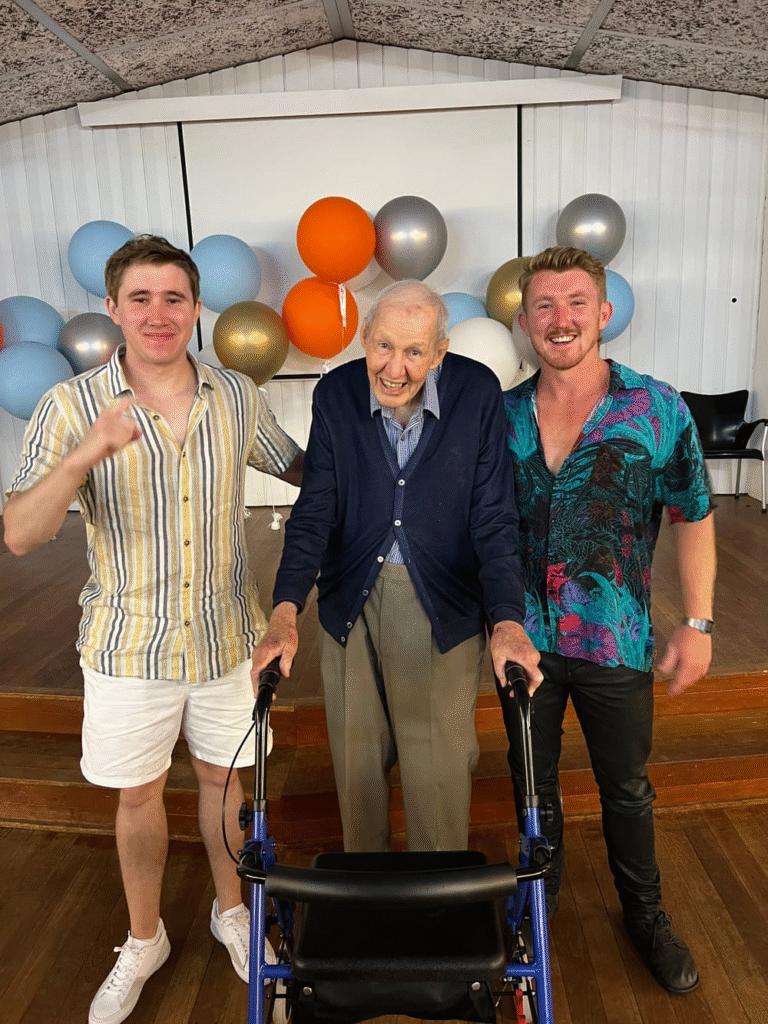
My younger brother William (left, the unannounced favourite grandson) and myself (right) with Papa at his 90th birthday. 10 December 2022.
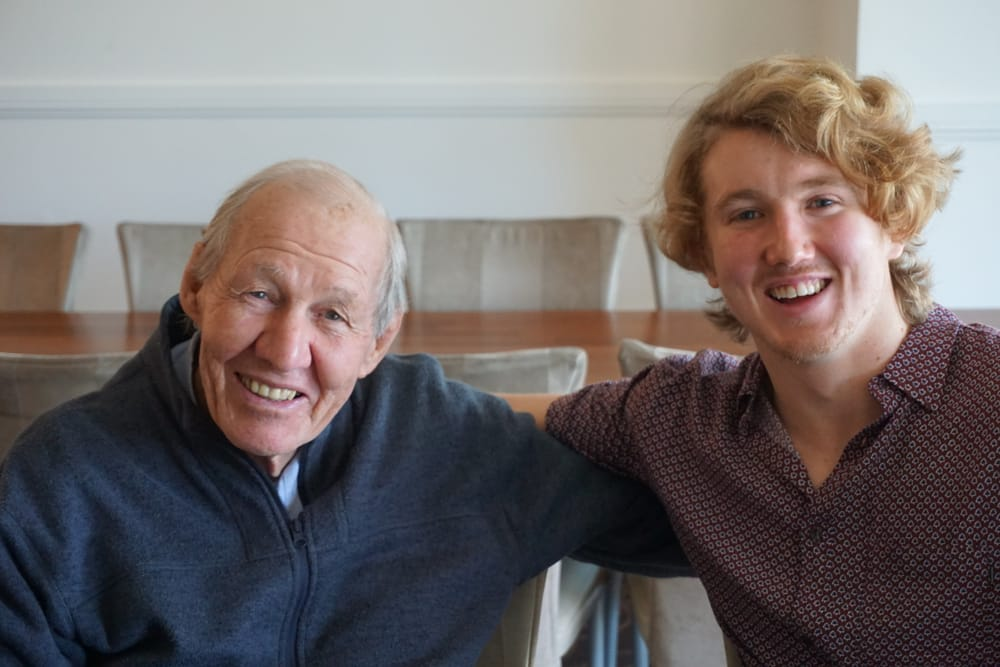
Papa and I at my mum’s birthday. He had a comforting smile that would always make you feel like everything was going to work out. 4 July 2016.
Superglue and milk
Daniel Bourke
We walked out of the movies and it was still daylight.
I helped Dad get onto the escalators.
He moves slower than most.
It keeps me in check when I’m steaming along.
Walking into the movies I looked at the time.
We were late.
Friday afternoon traffic.
So I picked up the pace.
And I noticed I’d pulled ahead.
I stopped and realised what a hurry I’d been in.
I asked Dad if he minded if we’re late.
He told me he didn’t even know we were late.
Georgie was there too.
We saw the new Bob Marley movie.
A good one.
I cried several times.
How could you not?
The message simple.
Yet hard to implement.
But it shouldn’t be.
One love.
Daylight was fading and several decisions needed to be made.
And half of them conflicted with the other half.
Georgie told me she’d like me at her house.
And I said sure, I’ll come when I’ve dropped the Old Man home.
Or maybe I didn’t.
I don’t remember what we said. But the feeling of miscommunication set in.
You don’t need words for that feeling.
Anyway I dropped the Old Man home and said that was a good movie and he said yes it was.
He got out of the car and I wound the window down.
I love you Dad, see you tomorrow.
Yep. Love you too. See you then.
Dad walked inside and I began to back out of the driveway.
Georgie pulled in behind me.
Yo, what’s up? I said.
Let’s go and watch the sunset!
Okay deal.
Meet you at the spot!
Georgie drove off and I followed.
We went the scenic route, along the waterfront, saw the people walking in the afternoon wearing their fitness gear with the bright colours, families sitting with foldout chairs watching the water roll on and on, fish and chip shops with lines out the door. The first day of Autumn singing the last verses of the songs of Summer.
Georgie parked at the spot and I pulled in behind her.
We got out and she leant on the fence near the edge and said hold me and I did.
And we looked out to the horizon and saw the kitesurfers and edge of the cliff where we met and the new gardens growing all over the hill where the floods were two years ago.
Look at the sky! How pretty is it! She said.
Do you want to go for a walk? I asked.
I do!
Georgie skipped the corner of the path and jumped down onto the walkway.
I got to the jump and stopped. Christ, that’s higher than I thought. And then I thought stuff it and jumped anyway.
We bumped down the stairs on the left side then saw an older couple coming up on the same side so we switched and said good afternoon and they said good afternoon back. They needed the handrail more than us.
I could already tell the energy was in the air.
I’ve noticed it when Georgie and I hang out in public.
Call me crazy but there feels a certain aura about us.
It happens to anyone who’s madly in love.
The joy spills out of you.
And it’s generally contagious.
Many are sceptical at first, they think your partner and you are putting on an act or perhaps are intoxicated but then they realise.
They think to themselves, oh they must be in love.
And then their mood changes, they become reciprocal to the joy.
Because they too know the feeling of being madly in love.
Or perhaps they smile in anticipation.
Because if they haven’t felt it yet, they get a glimpse of what’s to come.
Hell, you don’t even need a partner to feel it. Your partner can be life itself.
Georgie and I walked along the edge facing away from the sunset.
Turning back every few footsteps to catch the last dance of the sun.
I noticed the rocks moved away from the staircase down to the water and pointed it out to Georgie.
That’s called erosion, she said.
Smart ass.
We came across the statue we’ve come across many times before.
Metal bars in the shape of flames.
Let’s have a race, I said, first one inside the statue.
Before I could even get my leg inside Georgie was on the inside.
What took you so long? She asked.
You’ve got a smaller head than me, I can barely fit.
We pretended we were in a time machine.
And no one from the outside could see in.
And even though they could.
It didn’t matter.
It was Georgie and I on the inside of the metal fire sculpture and the winds blew and the waters roared and we lived in a moment we’ll remember every time we walk past that metal fire sculpture.
Remember the time we climbed in there and pretended we were in a time machine?
Yes.
I guess time machines do exist. But only into in the past.
They’re called…
Wait for it…
Memories.
We climbed out and started to wrestle on the grass.
Georgie tried the stand up takedown move I showed her.
But her technique was off.
So I tiptoed around her feet and put my arm on her shoulder and playfully went to do the technique with proper form.
But I didn’t go all the way and we kept going back and forth pretending to get the other but never actually getting the other.
Onlookers must have enjoyed the show.
A couple walking by laughed and said we could be in the UFC with those moves.
Our contracts are in the works as we speak, I said.
We kept walking towards the orange peel sky.
An old man with a grey ponytail, grey beard, straw fedora and sandals on an electric mobility scooter pulled up beside us.
He slowed his scooter so it was moving at the same pace we were walking.
Oh look at you two love birds, he said playfully, you make me sick.
He could feel the energy.
We laughed and said hello how are you.
I’m enjoying the afternoon but not as much as you two, he said.
Ha!
It’s great to see all these young people out here, he said, God blessed me with four daughters and they’re all starting to grow up now.
How old are they, I asked?
The youngest is 15 years old now, he said, she bought her boyfriend around the other night for dinner for the first time.
How did that go? Georgie asked.
Well let’s just say my wife and I were a bit taken aback by the hairstyle.
What was it?
A green mohawk, 12-inches high spiked straight up.
What? Really?
Yes, and none of his clothes look like they fit him, they were so dark too. But my daughter seemed happy around him, so we tried to accomodate. But geez it was not what we were expecting.
How did the dinner go?
The dinner went great, my wife and I sat next to each other tapping each other’s legs whenever we wanted to say something or wanted the other to shut up and let the children talk for themselves. We’re trying to be a bit more accepting.
Well, that’s good!
That was until he told me how he did his hair.
Oh…
What do you think he said he uses to spike it up so well?
I don’t know, lots of a hair gel?
Nope. When we heard this my wife grabbed my thigh and squeezed it.
What does he use?
Superglue and milk.
What?
Yep. That’s what he said. He said if you mix them together they make a really strong paste. Something in the milk makes the superglue less sticky but it also means you can spread it out further.
Well at least it works, do you think you’ll try it with your hair?
No way! I’d been wondering what the white flakes were through his hair. Then it made sense. He had about 2-inches of calcification along the bottom and I thought ahh that must be the milk.
A woman walked passed and got caught in front of the old man’s mobility scooter.
Her dog was jumping up and down towards us stopping her from going forward.
She turned around and looked at me Georgie and the old man on the scooter.
I’m sorry, she said.
It’s all good, Georgie said, we’re just hearing about how to style a 12-inch mohawk.
The dog was really going for it. Jumping back at us. Not in a vicious way. In an excited way.
The woman tried to keep walking but she couldn’t.
Get a grip lady!
She turned around again and looked at me.
I’m sorry, do you mind if my dog says hello to you, she seems really excited and doesn’t often do this to people.
I’d love to, I said.
The old man with the grey ponytail and grey beard scooted out of the way of the dog and said have a good evening and we waved at each other.
This is Teddi, the woman said.
Teddi jumped all over me, a medium sized dog with short curly hair and long curly energy.
I patted her under the neck and around the ears, said hello Teddi, hello Teddi, hello hello hello.
Thank you, said the woman, she only does that to people she really likes.
You’re welcome, I said, have a good evening.
The woman kept walking.
And Georgie and I went up the stairs.
Did that just happen? Georgie asked.
Yeah, seems like we’ve got a thing for chance encounters, dogs who only say hello to people they like. And older men with grey beards and straw fedoras who share stories about their daughter’s boyfriend’s recipe for keeping your mohawk spiky.
It’s the energy baby, I said.
It’s always the energy.
Our love.
One love.
We held hands and walked back up to the top.
We got there and went to take a sip of water out of the fountain but it was too hot.
Introducing Nutrify | Learn about food with AI
Like Shazam. But for food. A simple app to make learning about food fun.
Daniel Bourke
Short Version
Nutrify is an iOS application designed to make learning about whole foods fun and in turn, reduce the intake of ultra-processed foods.
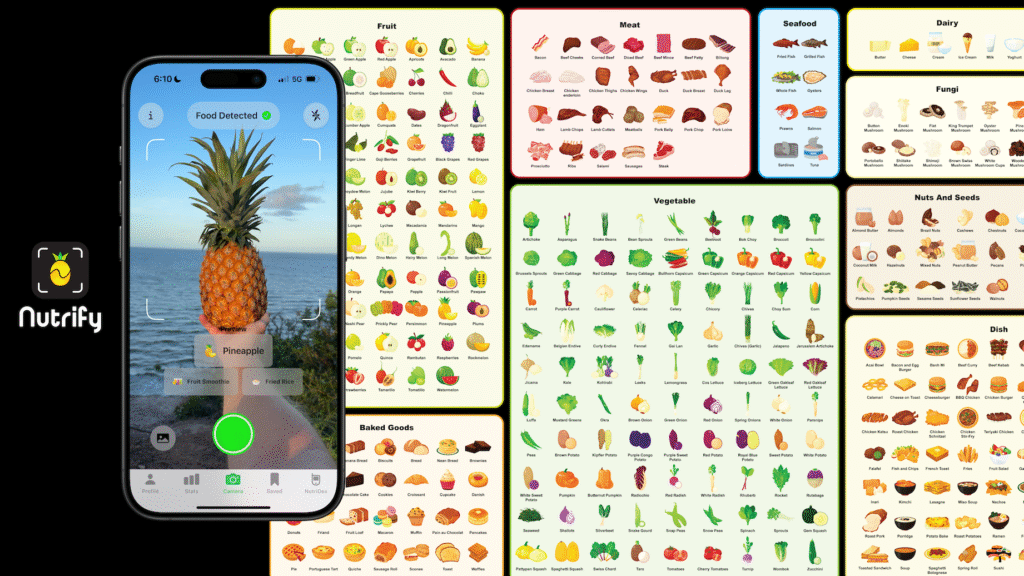
It works on the premise of “take a photo of food and learn about it”.
As in, it uses computer vision to identify different whole foods (we focus on whole foods rather than barcodes) and displays relevant nutrition and storage information about them.
Nutrify is for anyone who wants to learn more about foods as well as about their own food habits and trends.
Due to its fun and interactive design, Nutrify can also be an educational tool for teaching kids or students about food.
- See the launch on Product Hunt.
- Watch the launch video on YouTube.
- Download Nutrify on the iOS App Store.
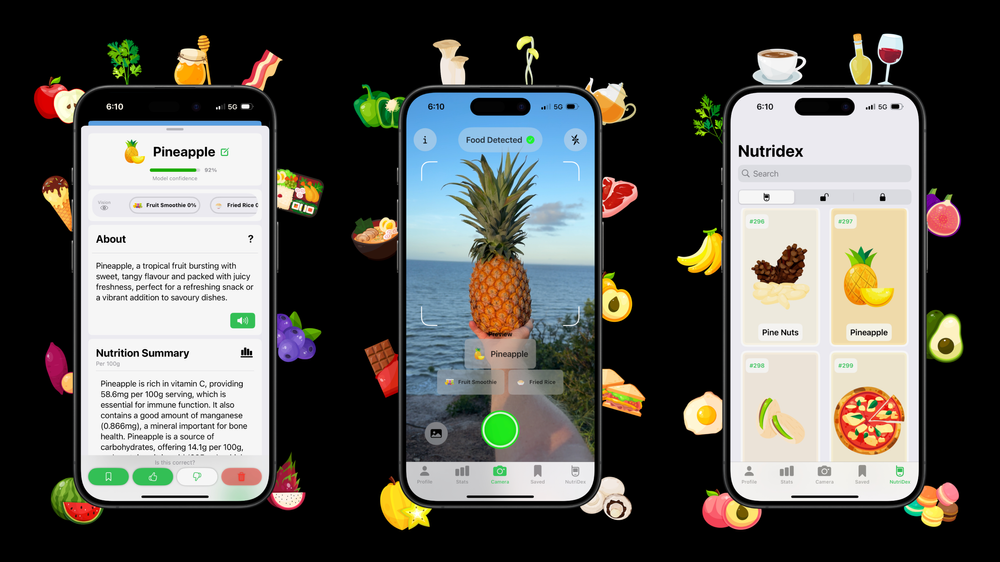
Take a photo of food and learn about it. Download Nutrify today on the Apple App Store.
Longer Version
It’s here!
The app my brother and I have been dreaming about for years.
And we’ve built it.
In 2017, I started learning machine learning/AI with the explicit goal of “Combine AI with my knowledge of fitness and nutrition to help the world move more and eat better.”
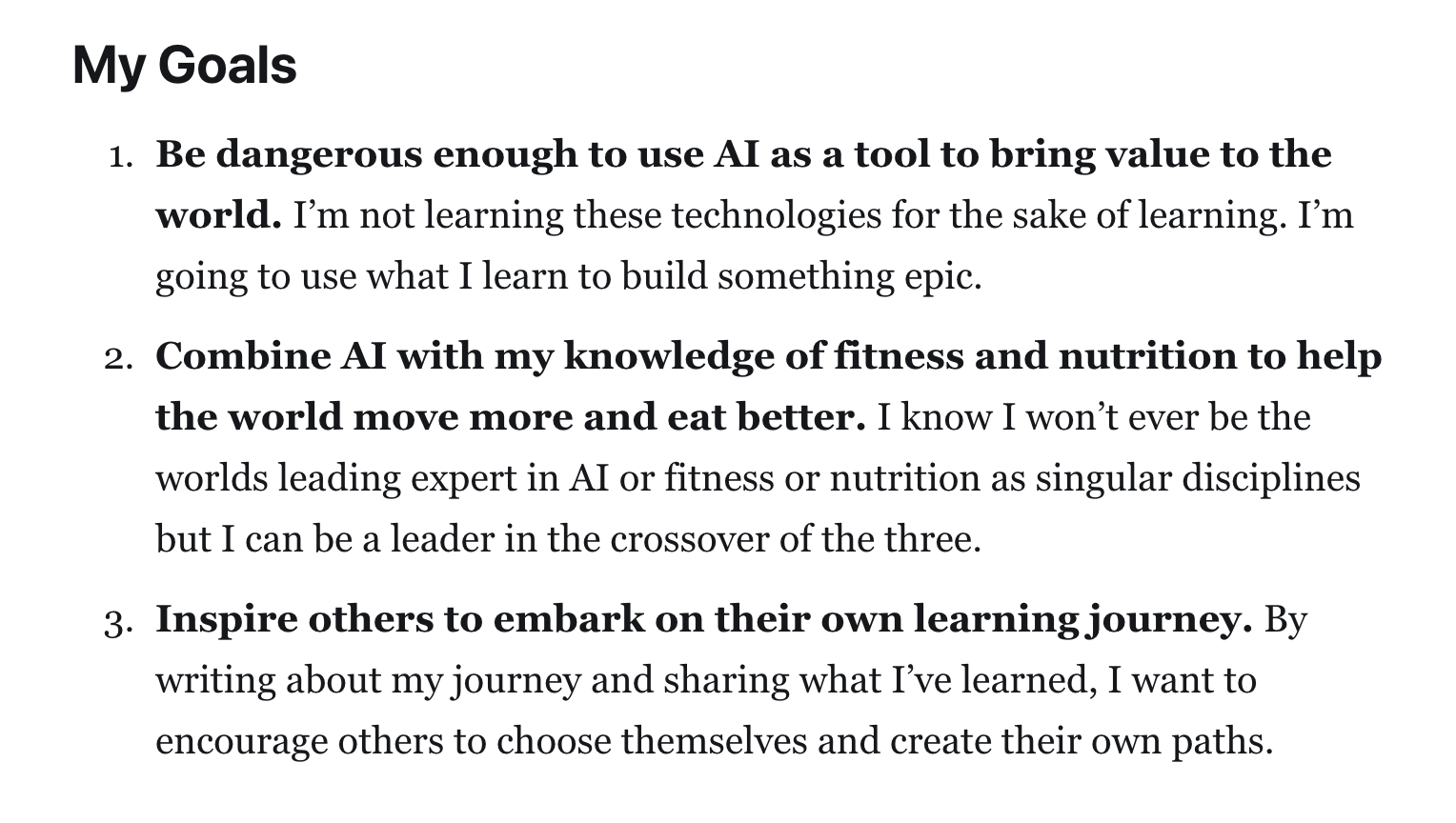
Nutrify is the nutrition part of that goal.
It’s designed to be an easy and fun way to learn about whole foods.
I say whole foods on purpose.
Because Nutrify focuses on foods you could forage for or farm or make in your kitchen.
As in, foods without barcodes or packaging.
If Nutrify has one central dogma, it’s that.
We believe whole foods are healthier than ultra-processed foods.
When I studied nutrition and food science at university, that was the central point.
Basically any diet other than the Standard American Diet (SAD for short, funny), a diet full of ultra-processed foods, is a good alternative (AKA diets full of whole foods).
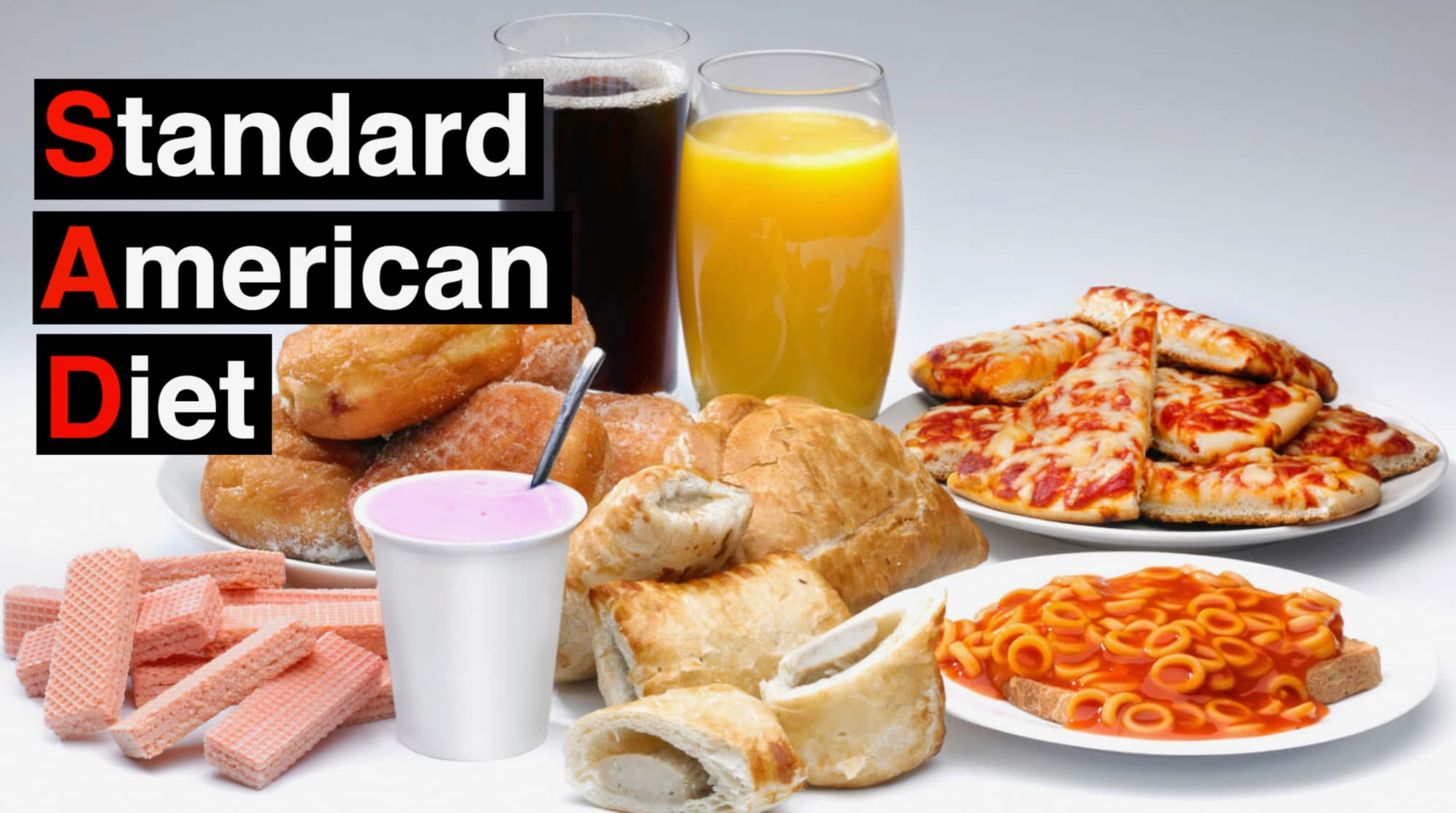
There were also many fun and interesting things I’d learn about food but seemed to forget whenever I actually wanted to remember them.
In other words, I’d remember the information for passing exams but not when I was looking at food or eating it.
When I learned about computer vision I had the idea of bringing this knowledge to the food.
As in, use the camera as the intelligence layer.
This is of course, not new.
Computer vision has been used for many different use cases. Even for identifying foods in other apps.
Nutrify’s differentiating factor is that it focuses on food categories and discovery rather than counting calories.
Because if you’re eating whole foods, moving often and sleeping well, you don’t need to count calories.
To keep it simple, I love food and I love machine learning.
Nutrify is the love child of these two passions.
Who’s it for?
Nutrify is for people who would like to learn more about food.
Either more about foods you’re familiar with or foods you’ve never tried before.
It can be used as a food discovery tool.
Or as a way to track trends and eating habits over time (see the stats and trends feature below).
One use case we’ve seen is parents teaching their kids about different foods at the supermarket or in the kitchen by taking photos of them and having Nutrify read out nutrition summaries.
Key features and benefits
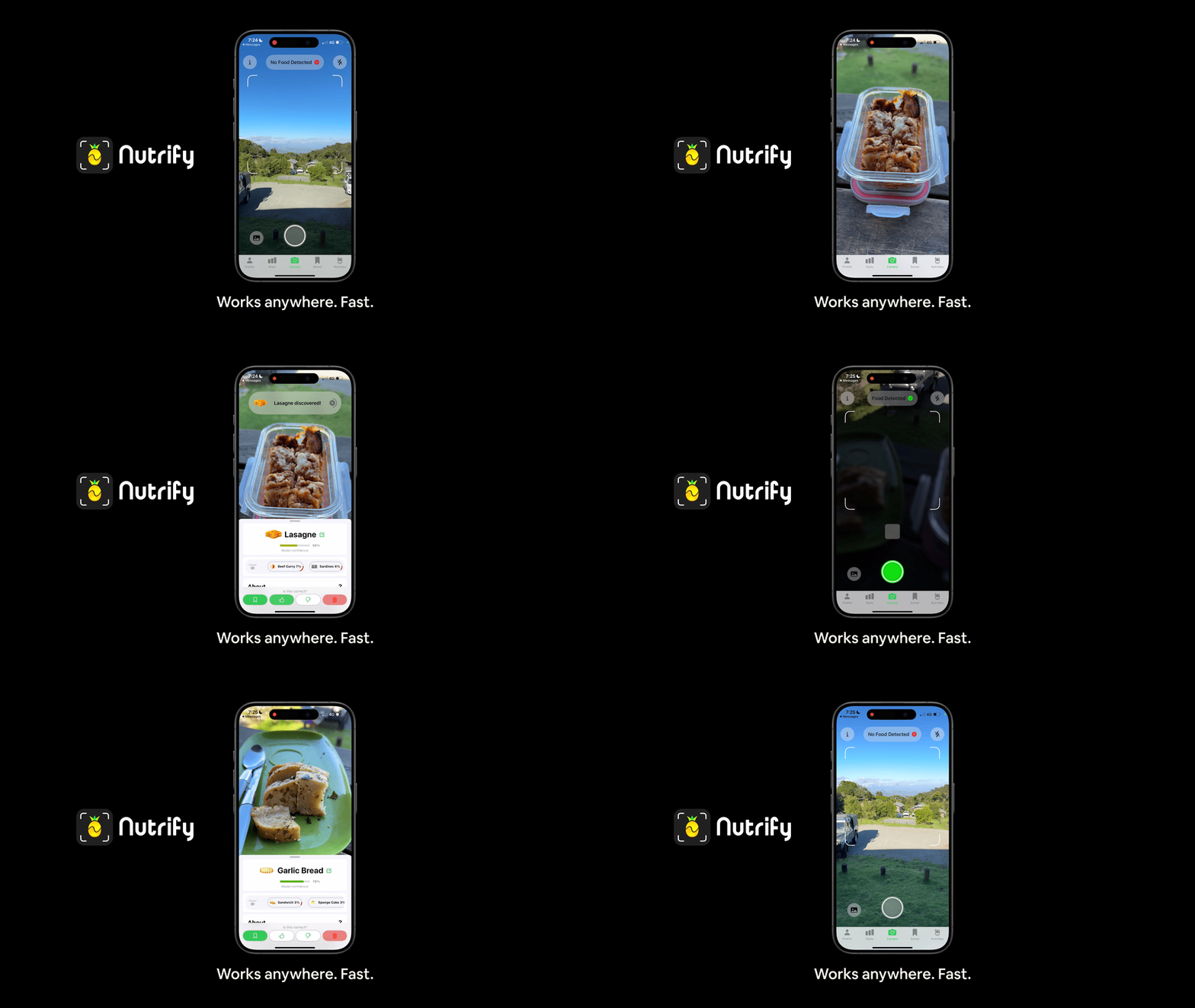
📸->🍍 FoodVision AI
Nutrify is powered by a computer vision model capable of identifying 420 foods (for now, more coming soon).
Simply point your phone at food and take a photo, Nutrify will do its best to identify what’s in it and show relevant information.
All image processing happens on-device using the Neural Engine, so predictions happen really fast and work offline.
📔 Create a Visual Food Diary
When you take a photo with Nutrify, you have the option to save or delete it.
Saving it stores it in your Visual Food Diary, an excellent way to reflect on what you’ve eaten.
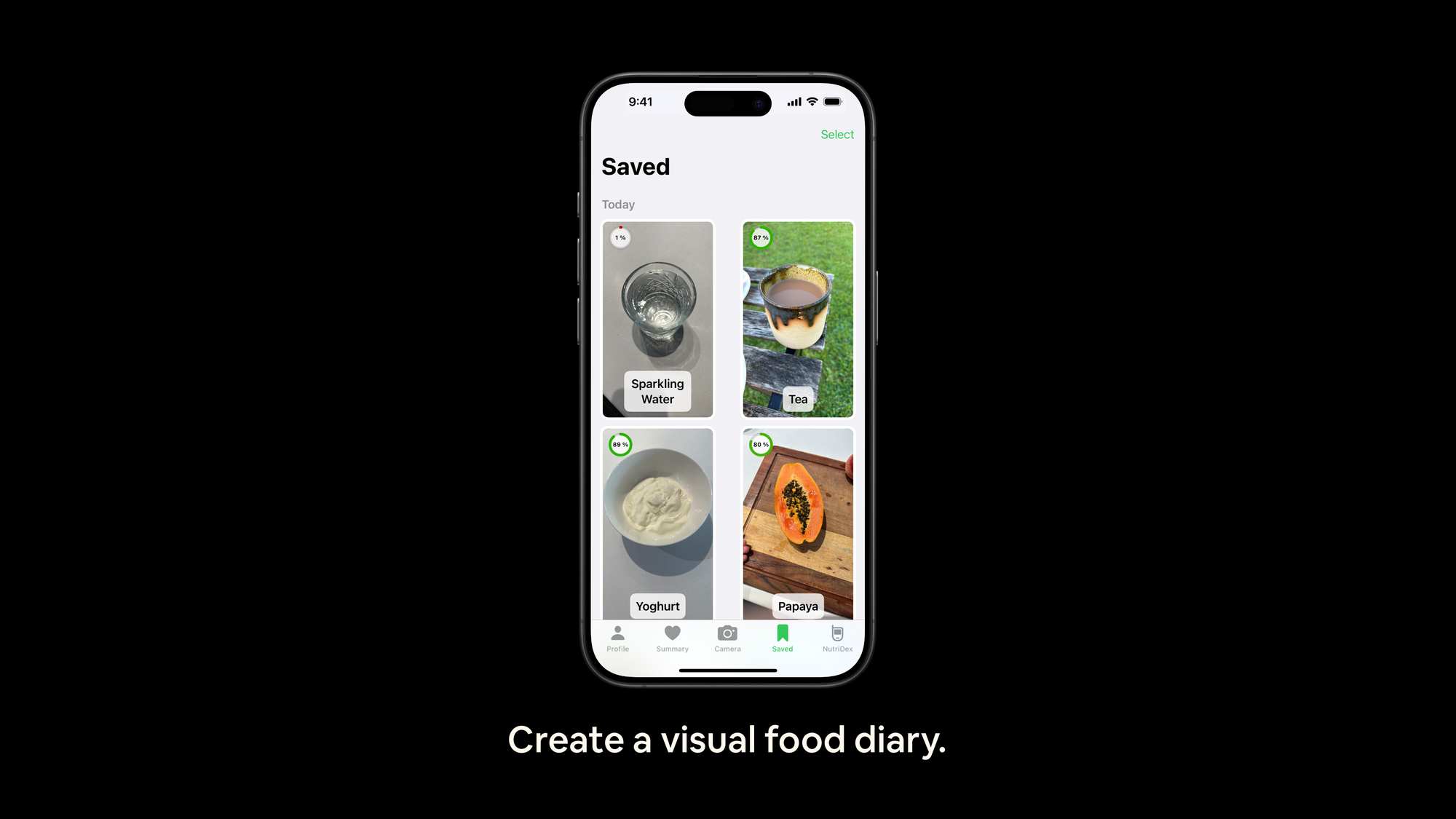
In my experience with keeping food diaries, I’ve found that numbers on a page (calorie counting) are too specific for me.
Instead, I much prefer seeing what I’ve eaten (ideally, a wide range of whole foods).
You could use this to show a nutrition coach or wellness practitioner what you’ve eaten and get their insights.
🔍 Discover new foods and complete the Nutridex
I loved playing Pokémon as a kid.
I used to think the Pokédex was magic.
So my brother and I made a big effort to make Nutrify feel the same.
For version 1.0, the Nutridex contains information 420 different foods across 22 different categories.
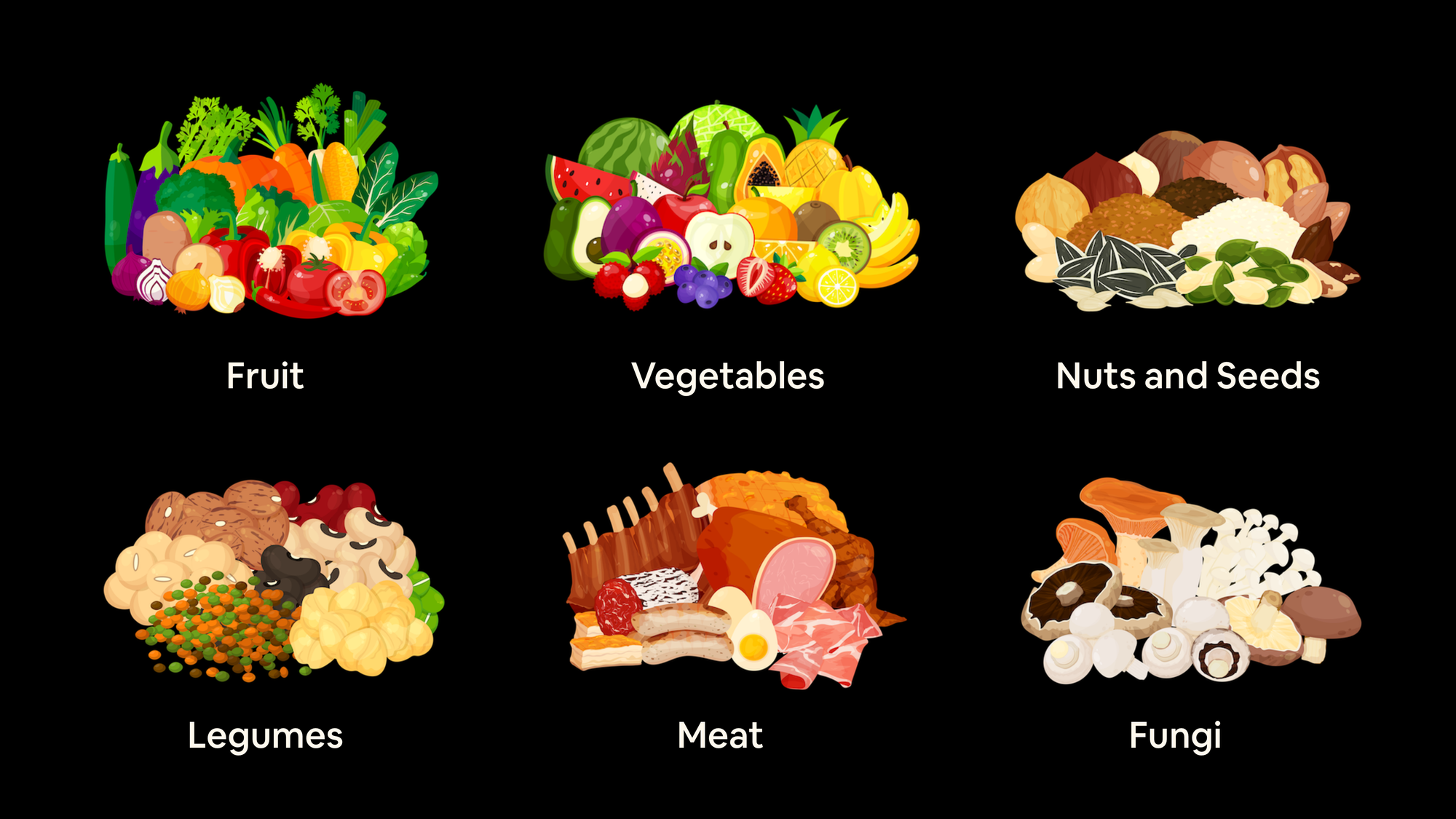
Each comes with a beautifully designed custom food icon crafted by our skilful designer (thank you Grace!).
And the first time you take a photo of a food you haven’t seen before, a delightful unlock sound will play and it’ll be added to your Nutridex (see the launch video for what this looks like).
A small incentive to continually try new foods.
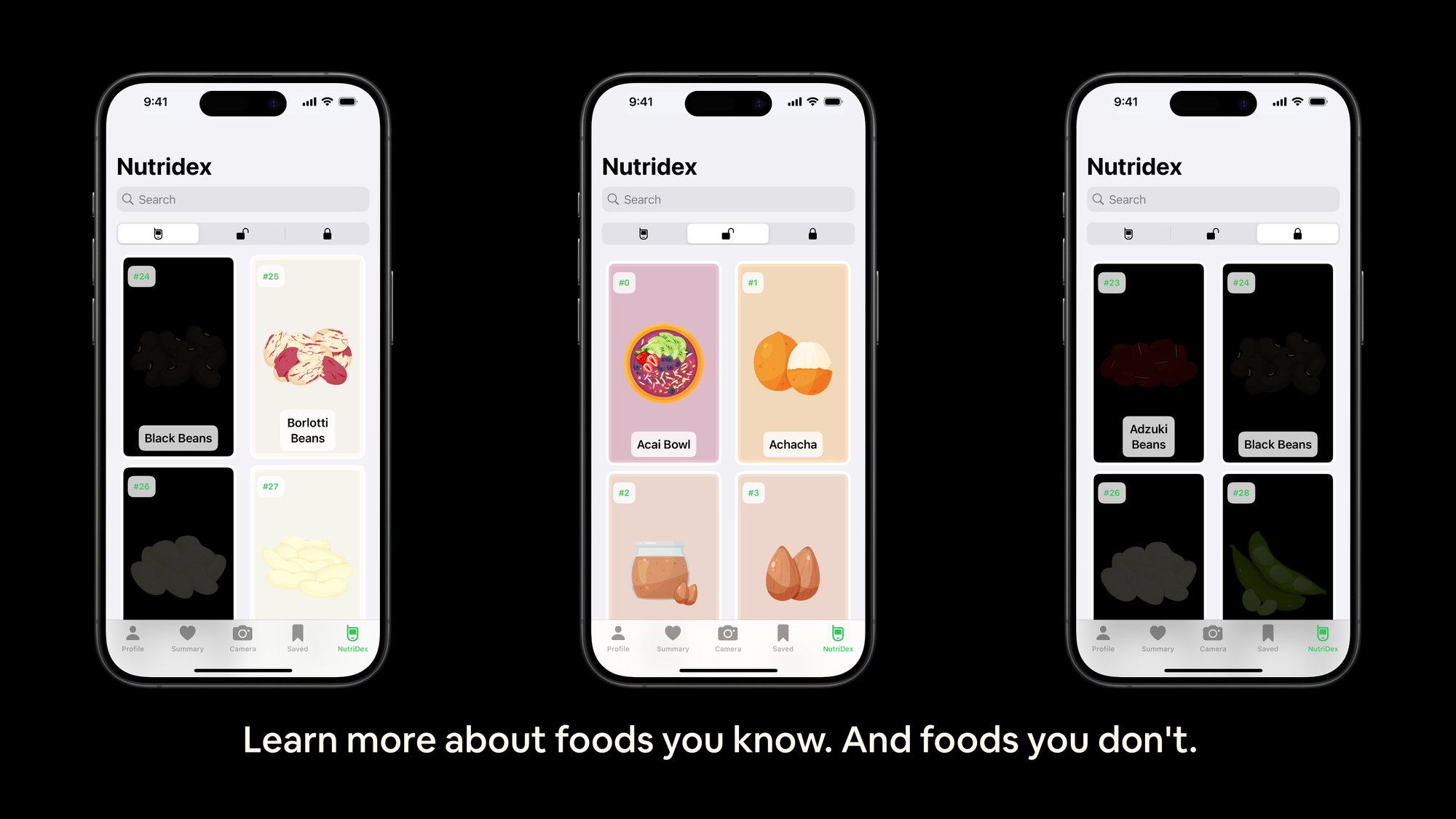
The Nutridex will be constantly growing over time.
So completing it may actually be a continually moving target.
As of writing, my Nutridex is at 357/420 (so catch me if you can :P).
If you find that your favourite food isn’t in the Nutridex, let us know so we can expand it!
📊 Get stats and trends of your food habits over time
After you’ve used Nutrify for a while, stats and trends will automatically populate the Summary tab based on your Visual Food Diary.
This includes most eaten foods, most eaten categories, most common breakfast, lunch and dinner foods and more.
You can use these statistics and trends to gain insights on your food habits and adjust if necessary.
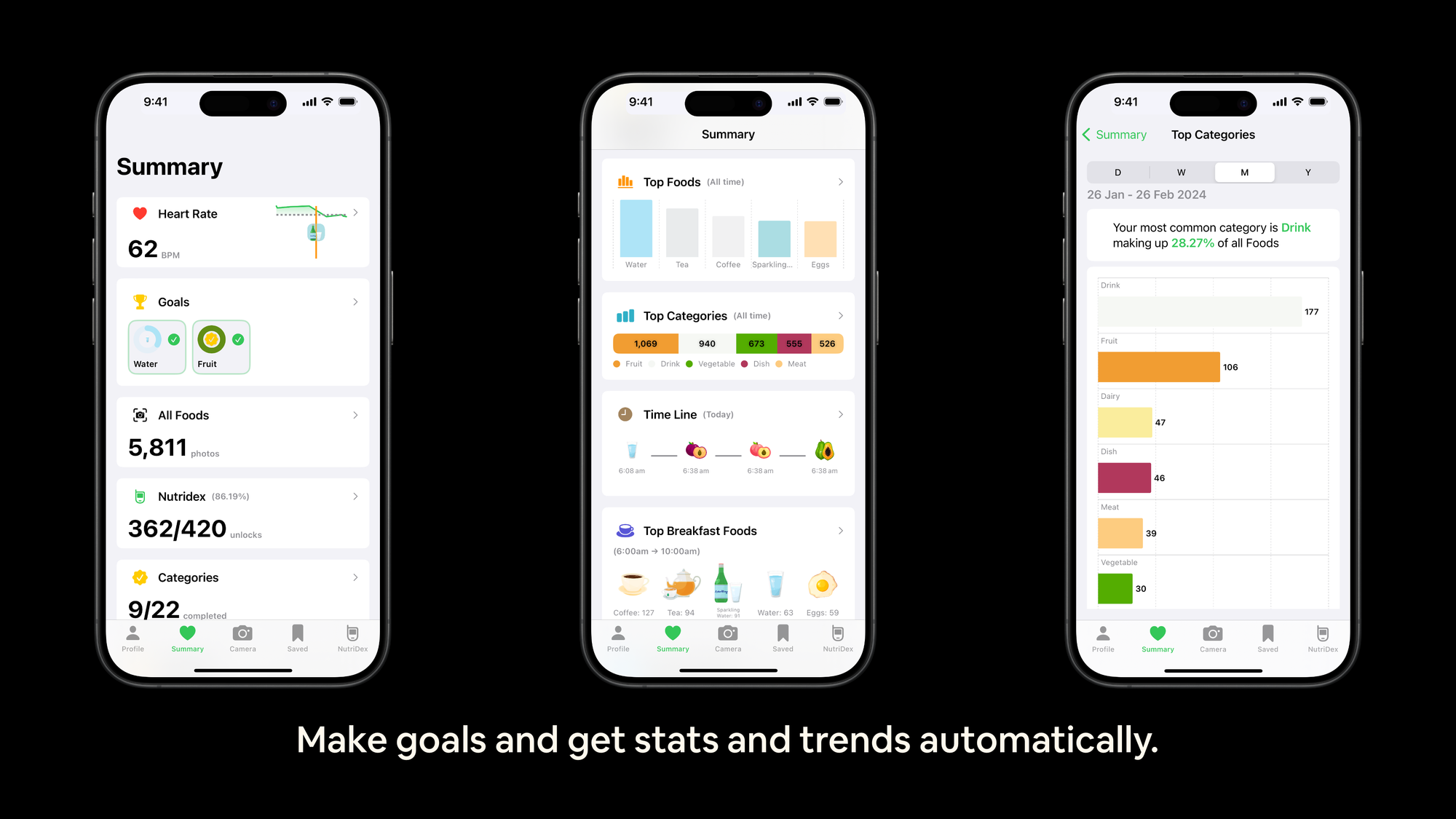
We’ll be adding more analytics and insights over time as well so feel free to suggest something you’d like to see.
💡
New: You can now also use the Summary tab to see how different foods affect your heart rate (requires heart rate data in Apple Health) and set goals for consuming or avoiding different foods/categories.
How does it work?
Nutrify is a combination of machine learning, iOS, a database and design.
It’s bootstrapped in a converted lounge room/office in Brisbane, Australia by myself and my brother Josh working together part-time.
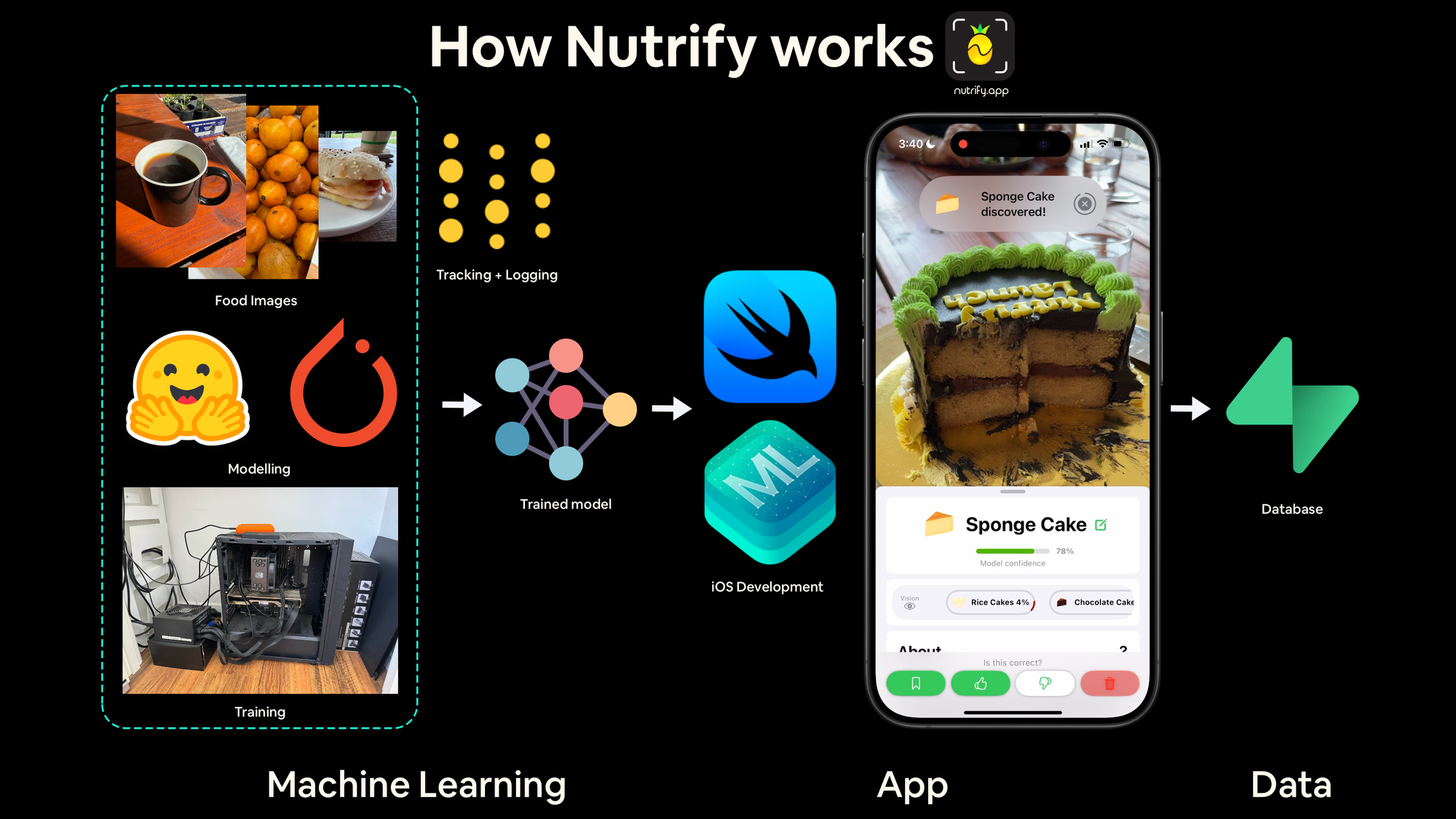
Machine Learning (Daniel)
Computer vision models are fine-tuned versions of timm (PyTorch Image Models) models from Hugging Face (thank you to Ross Wightman for the incredible work) on a custom dataset.
All training happens locally on a single GPU (one GPU, one dream).
Experiment and artifact tracking happens all with Weights and Biases.
We’re currently at 1000+ models trained as well as 100+ versions of datasets/labels.
Food images are collected from open-source datasets as well as manually collected (we’ve manually taken 50,000+ images of food/not food – never underestimate the power of manual data collection).
We use an iterative training loop similar to Tesla’s data flywheel but for food images. You can see this setup explained on YouTube.
iOS (Josh)
All of Nutrify is built in SwiftUI so it runs and feels like a native iOS app.
All machine learning models run on-device using Core ML and perform inference in under 10ms (no internet connection required + very fast!).
We leverage several of Apple’s in-built APIs to ensure Nutrify runs as clean as possible (this is why it requires iOS 16+).
Database
Our nutrition data comes from open-source nutrition databases (FDC and FSANZ).
Metadata, object storage and authentication happen via Supabase.
Food Icons (Grace)
All food icons are custom-designed specifically for Nutrify.
Pricing
Nutrify is free to use for up to 20 images without an account and unlimited images with an account.
This means you could complete the Nutridex for free by signing up for an account and taking photos of food.
Personalised food stats, summaries and trends are a paid feature.
Our pricing is monthly with a discount for yearly.
- $3.99USD/month ($47.90USD/year)
- $24.99USD/year (47% cheaper than monthly)
Please note these are base prices and actual prices may differ in the Apple App Store depending on the region. This is at Apple’s discretion and out of our control.
Where it’s going
Nutrify version 1.0 just launched but we’re already thinking about the future.
Some things we’re thinking about:
- Nutrify is built in Australia – There is a focus on whole foods available to us but we’ll expand this over time. However, many of the existing 420 foods are common globally. We’d like to take this to 1000+ by the end of the year.
- Our computer vision models aren’t perfect – Nutrify will make mistakes. But that’s half the fun! The good news is, it’s easy to correct by tapping another option in the swap bar or by tapping the pencil to add a custom food (the custom foods will also let us know which foods to add to the Nutridex).
- Multiple foods, dishes and complex meals – For now, Nutrify focuses on the premise of one photo, one food. But as we upgrade the computer vision models, they’ll be able to handle multiple foods and dishes better. Our advice is to take photos of food when you’re making it and enjoy it when it’s made.
- Other potential ideas – Food information for specific demographics, for example, children, newborn baby food tracking (e.g. “what foods has my baby tried?”), parents looking to conceive and more. We’ve tried to stay away from specifically recommending certain foods (other than whole foods) so this is an area which may require a bit more research.
Contact and learn more
If you have any ideas or foods you’d like to see in Nutrify, feel free to let us know!
Our contact email is support@nutrify.app.
And you can find us elsewhere:
In the meantime, have fun learning about food!
– Daniel and Josh
FAQ
What is Nutrify?
Nutrify is an iOS app that uses computer vision to identify whole foods from photos and provides relevant nutrition and storage information. It aims to make learning about food fun and informative.
How does Nutrify work?
By simply taking a photo of whole food, Nutrify uses a computer vision model to identify the food and then displays relevant nutrition information. The app focuses on whole foods rather than barcodes or foods in packaging.
Who can benefit from using Nutrify?
Anyone interested in learning more about food, tracking their food habits, discovering new foods, or using it as an educational tool to learn about food and nutrition.
What features does Nutrify offer?
Nutrify’s main features include FoodVision AI for identifying foods, a Visual Food Diary for tracking what you eat, the Nutridex for discovering new foods, and stats and trends analysis over time.
Does Nutrify require an internet connection to work?
No, all image processing happens on-device using the Neural Engine, allowing for fast predictions and offline functionality.
How many foods can Nutrify identify?
Currently, Nutrify is capable of identifying 420 different whole foods.
Is Nutrify free to use?
Nutrify can be used to identify and learn about foods for free for up to 20 images without an account, and unlimited images with an account. Personalized food stats and trends are a paid feature for USD $3.99/month or $24.99/year.
How accurate is Nutrify’s food identification?
While Nutrify can identify many foods very well, our computer vision models aren’t perfect. They will make mistakes. Good news is, you can easily correct errors by selecting another option or adding a custom food.
Can Nutrify identify multiple foods in one photo?
Currently, Nutrify focuses on identifying one food item per photo, but future updates aim to improve its capability to handle multiple foods and complex meals better.
What sets Nutrify apart from other food tracking apps?
Nutrify emphasizes food discovery and learning over calorie counting, offering a fun and interactive way to explore nutrition information for whole foods.
How can I download Nutrify?
Nutrify is available for download on the iOS App Store. You can find it by searching for “Nutrify”.
What are the future plans for Nutrify?
We’d love to continue to expand the food database, improve our computer vision models for better accuracy, and exploring additional features such as demographic-specific food information and tracking for specific needs like “foods my baby has eaten” or specific dietary preferences.